Showing posts with label PhoenixFD. Show all posts

2026/01/18

D5 3.0 發表讓我對Chaos V-Ray近年來的發展更加失望

一直以來我都是推薦 V-Ray 以及 Chaos 相關的產品,但最近兩三年,Chaos 的表現卻每況愈下。看到 D5 Render 發表 3.0 版本的影片,只能嘆息一聲「恨鐵不成鋼」。

我知道 D5 Render是中國開發的軟體,因此我本身不會去使用,但就它的開發方向,我仍想談一點看法。很顯然,D5 Render 的許多功能都是針對建築視覺化所設計,強調直覺與方便,能夠非常快速地做出效果;相對之下,V-Ray 的功能層級更偏向底層,並非完全以建築為導向,因此在運用上更為靈活,能夠在非 AI 強化的情況下,透過細緻調整參數,逐步達到頂級擬真的算圖效果。

但 AI 已經改變了遊戲規則。很明顯,D5 已經開始侵蝕 V-Ray 原本稱霸的建築視覺化市場。過去的 D5 Render 還像是玩具一樣,只能產出「還算可用」的渲染圖;那麼 V-Ray 是否還能倚靠 VFX 市場站穩腳步?問題是,Chaos 有讓 Phoenix FD 這類特效相關軟體真正更加茁壯嗎?並沒有。原本可以成為 V-Ray 特色加分的功能,反而逐漸被邊緣化、被貶低。

再看近三年 Chaos 的開發方向:Chaos Envision 這套資產整合軟體(有點像獨立的 3D 軟體)、Chaos Arena 虛擬棚的即時渲染系統(坦白說,這和一般用戶幾乎沒有關係,誰家裡會有超大型螢幕來做虛擬攝影棚?),以及 Enscape 這套主打即時、快速的渲染軟體。這三個方向彼此之間幾乎沒有匯合感,Enscape 又在某種程度上與 V-Ray 形成競爭,而 Chaos Envision 與 Vantage 的定位也存在重疊。(好像漏掉了Corona)。整體來看,產品線繁多,但整合性卻相當差。問題是,客戶真的有錢到可以把你整條產品線一次買齊嗎?

2026/01/09

Making realistic honey with Phoenix FD 蜂蜜流體特效


By Hammer Chen

In this article, I am going to share my tips & tricks for making realistic honey with Phoenix FD.

1. Modeling a honeycomb
Finding a photo-realistic model is very difficult. Even you have a budget to purchase from the online shop doesn't guaranty you get the right 3D model for the project. So I decided to model it by myself.

I found a handy tool from Scriptspot - Honeycomb, a maxscript by Anubis. This script allows you to generate a honeycomb shape with just one button.

Shading the Winter Explosion 冬季爆破特效


By Hammer Chen, Kristin Ivanova

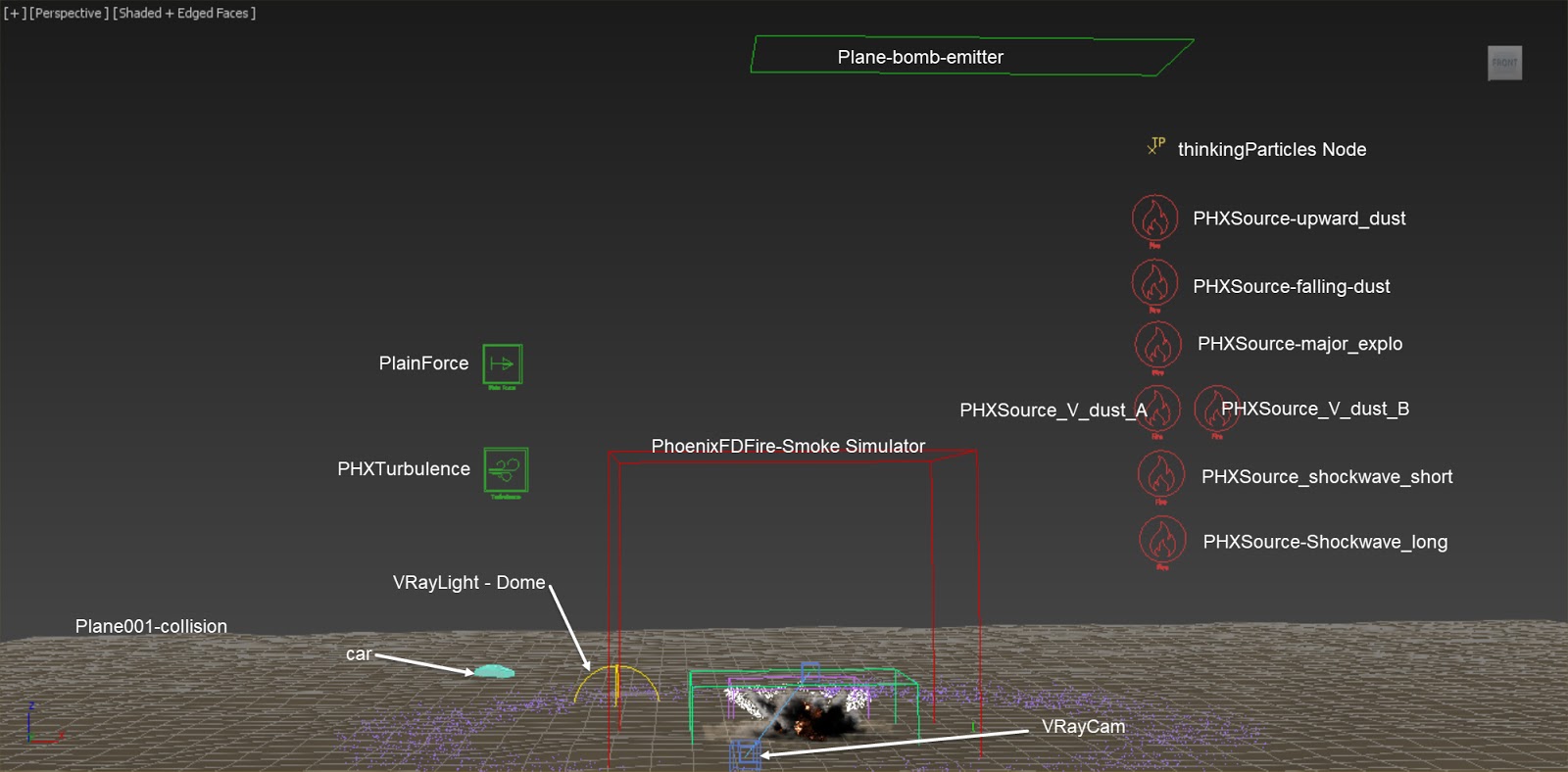
We recently introduced the Artillery Explosion tutorial available in Phoenix FD’s documentation. Now, we want to show you a variation of this scene setup - a winter explosion with its proper shading.

This scene is essentially the same as the Artillery Explosion one, except for the smoke color and HDRI lighting. The smoke color is set to light gray in order to get a snowy look. To focus on the shading we also limit the number of bombs to just one.

Since there is a hot explosion at the core, it could make the rendering over-exposed or lose detail in the white smoke volumetric shading.

The good news is Phoenix FD provides a cohort of parameters allowing you to fine-tune the shading. Here we compare some of the useful settings that deal with this issue.


Overall Setup
The scene we use here is modified from the Artillery Explosion scene, except we add one Phoenix FD Turbulence helper and change the color of the smoke. For a step-by-step tutorial of how the Fire / Smoke sources and thinkingParticles are set up, please check out the Artillery Explosion tutorial.

Whitewater shading with Phoenix FD 白水效果


By Hammer Chen

Whitewater is formed in a rapid, when a river's gradient increases enough to generate so much turbulence that air is entrained into the water body, that is, it forms a bubbly or aerated and unstable current; the frothy water appears white. --- Wikipedia
In this article, I am going to show you how to set up whitewater shading with Phoenix FD.

To set up a scene for whitewater shading you will need:

1. A Phoenix FD Liquid Simulator - for simulation of liquid and generate "Vorticity smooth" data
2. A Phoenix FD Fire/Smoke Simulator - this is not for simulation. This Fire/Smoke Simulator doesn't have to be high resolution, because it purely functions as a container to load up "Vorticity smooth" data from Liquid Simulator, and shading / rendering them as smoke.
3. LiquidSrc

Large Scale Fire with Phoenix FD 大尺度火焰特效


By Hammer Chen, Kristin Ivanova

In the previous post, we saw how to create a small-scale fire. In this article we are talking about large-scale fires. A large-scale fire can be a ground fire, a wooden house on fire, or maybe fire in an explosion. Let's explore how to create realistic large-scale fire with Phoenix FD.

Fire is very tricky to make in CG. In the previous article, we have introduced the VRayDistanceTex to alleviate artifacts at the fire root. That is, by using a VRayDistance texture to modulate the fire opacity. In this article, we are going to give more tips & tricks for creating convincing fire.


First of all, let's talk about how the fire is emitted. Take a ground fire for example, we can use a simple plane (with shell modifier on top) and vertex paint to mask the fluid source. To avoid getting one big chunk of fire, paint the vertex color with smaller areas. This way we can create a more natural form of the flame.

Secondly, Phoenix FD Turbulence has a great effect on the overall motion of fire. For example, below we compare the dynamics of a flame without Phoenix FD Turbulence and with Phoenix FD Turbulence. See how the flame looks dull without Turbulence.

Making of Lava Flow with TexUVW 岩漿特效


By Hammer Chen, Kristin Ivanova

Phoenix FD 4's new feature TexUVW opens a great opportunity for adding details to your fluids. It allows fluids to transport UVW information along with the moving fluid. You can find an example in the "Using TexUVW for Creating Thin Smoke" tutorial, available on the Phoenix FD official page. In the tutorial, smoke opacity is masked with a noise texture, with the help of TexUVW, to enhance the details that mimic thin smoke. 

In this article, we are taking advantage of this new feature in order to create a lava flow. The folding character of the lava is generated through bump maps and displacement.


References
When creating a lava stream, we need to consider what type of lava we want to use for reference. A variety of lava types exist depending on terrain, speed, hotness, and material composition. For the purpose of this article, we will create a "pahoehoe"  (pronounced 'paw-hoey-hoey") type of lava (see the reference images above), which creates folds as it moves. However, if you intend to simulate molten lava, you can check the "Solidifying of Molten Lava" tutorial on the official documentation site.

Making of Deer Crossing River 麋鹿渡河特效


By Hammer Chen

In this article, I am going to share some tips & tricks of how I made this deer crossing river animation. Although it might look daunting at first glance, the settings for Phoenix are quite simple. The most critical thing for making this animation is the hardware.


As you can see, the total cache size for the whole animation (250 frames) is around 535 GB. So you better have a faster RAM and a hard drive with enough space for this kind of project. Once you have your hardware ready, leave it to Phoenix, Don't worry, Phoenix FD does support large-scale fluids like this one.

The image above shows my scene setup. The herd of deer is generated from a single rigged deer, duplicated by using thinkingParticles. There is no animation variation of the deer character, so the setting is simple, only offsetting animation for each deer.

VRayVolumeGrid and Nuclear Explosion 核爆整合


By Hammer Chen

In this article I am going to show you the benefit of using Phoenix FD in tandem with VRayVolumeGrid. I will use a nuclear explosion as an example.

Phoenix FD is capable of simulating complex explosions, such as air strike, small or large scale explosion. For a realistic blast, it always involves many different components. For example, the nuclear explosion you have a major mushroom cloud that flies into the sky; and the ground dust triggered by the mushroom cloud explosion. With multiple fire/smoke sources, Phoenix FD can perform realistic nuclear explosion simulation. In fact, you can find a downloadable nuclear explosion scene on the ChaosGroup official sample page.

With that said, what if you want extra degree of freedoms for tweaking and shaping the extract nuke you want. Simulating each component separately might be a way to go. I'll explain why.

A collection of reference images from the Internet

Let’s take a look at physical reality. A nuclear bomb was placed on the ground, somewhere in an unknown desert. When the bomb blast off, initiate the chain reaction, heat climbing and generate lots of smoke as a by-product the chemical reaction; that major explosion pushes the ground dust which is already there before the blast. We can say the physical properties of those two elements (the ground dust and explosive mushroom) are no doubt different things.

Bullet Time with Phoenix FD 子彈時間慢動作特效


By Hammer Chen

Have you ever wondered how to create a bullet-time effect for liquids with Phoenix FD? Especially when working with rigid body simulation? The answer is surprisingly simple: animate the Phoenix FD's "Time Scale" parameter. In this article, I am going to show you the workflow.

1. Scene Setup
We have two wine glasses in the scene  and a sphere flying from right to left, that hits and breaks the glasses. You can use any package to simulate the rigid body dynamics, for example,  PFlow mParticles or RayFire. In this case, I use thinkingParticles.

Visualize your forces with Force Preview 視覺化力場


by Hammer Chen

When dealing with complex scene, sometimes you have to adjust forces in the scene back and forth to get the desired results. You have to change parameters, run the sim, render preview and change parameters again.

For creating ocean maelstrom, adding a vortex force might be a quick answer. However, finding the right parameters could be a nightmare for you. If the orbital speed too high, or it's falloff too short. Or if there is not enough radial pull. You might not be able to get the right maelstrom.

With new Force Preview, you can see how Phoenix or standard 3ds Max forces will influence the simulation — without multiple iterations

Making of a Burning Motorcycle 燃燒的摩托車


By Hammer Chen

In this article, I am going to show you some of the critical steps of making this burning motorcycle image with Phoenix FD.


The model was kindly provided by Lien Ying-Te. Though this is a sub-D model, there are a lot of parts and faces in the geometry. The first thing I do is attach all the pieces into one single mesh, and then use ProOptimizer to reduce the polyfaces to roughly 10% of its original polycounts. You get a significant simulation performance increase when you have fewer polycounts as a fire/smoke source.

Making clouds with Phoenix FD 雲朵模擬教學


by Hammer Chen

Do you know you can create realistic cloud by simply budding off smoke from a single plane? The key is using the right mask and scattering setting.

Here we have one 3dsMax plane primitive as Fire / Smoke source. (Please note that Phoenix FD doesn't like non-closed geometry. If you having any trouble emitting fluid from a plane, add a shell modifier to the plane can fix the issue)

Phoenix FD: Pure Ocean mode 純海洋模式


This small handy feature allows you to preview ocean mesh without any simulations. The video was recorded by Svetlin Nikolov.


Surface condensation with Phoenix FD 表面張力水珠


by Hammer Chen

(Click Here to download the sample scene for max 2015)

Do you know you can create photo realistic surface condensation with Phoenix FD? The key is using a procedural texture map - Stucco as a mask for the LiquidSrc.

You could also animate the texture map (i.e., Z offset in this example), with the right timing you could get waterdrop sliding over the fruit surface.

Surface Tension is another key to simulate realistic droplet. The Droplet Breakup parameter controls the balances between the liquid forming tendrils or droplets. For more detail, you could visit Phoenix FD official help page.

Image-based colored smoke 用貼圖控制煙霧顏色


by Hammer Chen

Creating an image-based colored smoke is pretty straightforward with Phoenix FD. Here are three key steps you need to know:

1. Output RGB channel
Check RGB checkbox in the output section


Fluid color mixing with Phoenix FD 牛奶巧克力混色教學


by Hammer Chen

Phoenix FD allows you to mix the liquid with different RGB color, chocolate, and milk for example. Here are few steps you can follow:

1. Out Grid RGB Channel

2. Set two of your LiquidSrc with different RGB color. In this particular example, I set my milk LiquidSrc with black RGB color and white for chocolate.

Fruit explosion using turbulence 亂流產生水果爆炸


by Hammer Chen

How could you explode a liquid in CG? The most intuitive approach is to put a gravity in the center of orange with a negative value. Here we use Phoenix FD Turbulence to agitate the liquid, making it spray out.

Create one Phoenix FD Turbulence in your scene and animate it's size and strength multiplier.

Creating a shockwave with Phoenix FD 衝擊波特效


By Hammer Chen

This tutorial is requested by one of our users who said that it was difficult to create a shockwave with Phoenix FD. Here, I am going to explain the critical step that he might miss.

This is my scene setup: a Pflow (PF Source) in the middle, spreading out particles horizontally; a PhoenixFD Fire / Smoke Simulator; and a Phoenix FD Fire / Smoke Source (PHXSource) that picked up the PF Source in the scene.

Making of Fruit Explosion 水果爆炸特效教學


By Hammer Chen, Kristin Ivanova

In this article, I show how to create a fruit explosion with Phoenix FD for 3ds Max. The fruit explosion consists of two fruits colliding at a high speed, then they smash and their juices splash out.

For the purpose of illustrating this article, we’ve shaded the fruits to get a tomato-ye look. However, the shape and shaders of the two geometries can be customized to your liking to get whatever kind of fruit you want to smash We don’t focus on the shading information of the fruits here..

The most challenging part of this animation is the fruit mesh smashing. Instead of softbody or cloth simulation, I use 3ds Max's Morpher Modifier and keyframe the splitting fruit meshes. I avoid using any softbody/cloth simulation in this tutorial, because it is difficult to control the results. By keyframing the animation, you have full control and are able to add layers of detail.

Since the mesh motion purely relies on keyframe animation, it is crucial to find the right reference footage to align with. You could search for keywords like "high speed fruit" or "fruit explosion." Or you can go through any stock footage sites. Once you find a good footage, load it in 3ds Max. This way, you can align your keyframe animation to the footage in the viewport accurately.


1. Fruit geometry deformation
Based on observation from reference videos, I concluded that one basic fruit mesh and four different deformed meshes would be enough to recreate the fruit splitting effect. Start from modeling the basic shape. The fruit is modified from a simple sphere and the mesh is split as shown in the image above. All other four deformed meshes are derived from this basic mesh. This is to make sure all five geometries have the same topology and can be used as morph targets later.


We duplicate the basic mesh into four other meshes.. By moving the vertices or adding modifiers on top, we create four different deformed fruit meshes: split, bump_shape, dent, and FFD_deformed. These four geometries represent the various stages of changing the shape of the fruit during the collision. Add a Morpher modifier to the basic mesh and load up the four geometries as morph targets.

Fruit splashes with Phoenix FD 掉落水花效果

by Hammer Chen

Ever wanted to create high-speed fruit splashes photography in 3dsMax? With Phoenix FD, it might be much easier than you thought.

A. Rigid body dynamics with PFlow
Once your 3D fruit geometry is ready, import it into your scene and layout your objects like this:


You could create a basic MassFX Pflow by right click on your PFlow / New / mParticles Flow