

By Hammer Chen, Kristin Ivanova
We recently introduced the Artillery Explosion tutorial available in Phoenix FD’s documentation. Now, we want to show you a variation of this scene setup - a winter explosion with its proper shading.
This scene is essentially the same as the Artillery Explosion one, except for the smoke color and HDRI lighting. The smoke color is set to light gray in order to get a snowy look. To focus on the shading we also limit the number of bombs to just one.
Since there is a hot explosion at the core, it could make the rendering over-exposed or lose detail in the white smoke volumetric shading.
The good news is Phoenix FD provides a cohort of parameters allowing you to fine-tune the shading. Here we compare some of the useful settings that deal with this issue.
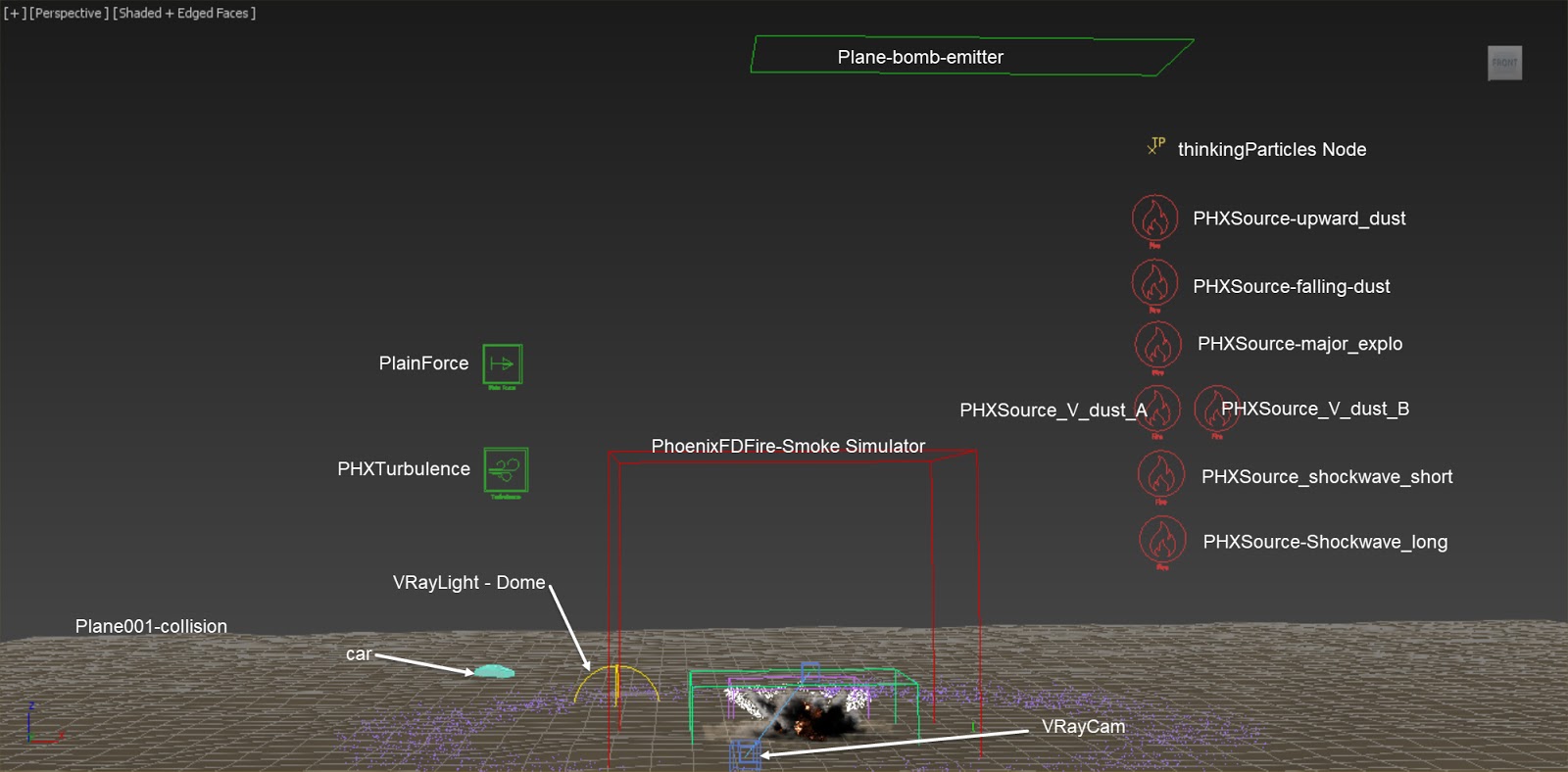
Overall Setup
The scene we use here is modified from the Artillery Explosion scene, except we add one Phoenix FD Turbulence helper and change the color of the smoke. For a step-by-step tutorial of how the Fire / Smoke sources and thinkingParticles are set up, please check out the Artillery Explosion tutorial.


